 COME
COMECOME Settings: language, music and effects
Settings contains separate controls for Language, Music On/Off and Effects On/Off, alongside Check Update.
Work through this situation
If you want quieter audio, identify whether you mean music, effects or the phone's own volume. An update check does not change the language or explain an account balance.
What to check and why
Open Settings and identify the individual control before changing it. Language is a preference, while Music and Effects describe separate kinds of audio. Change one control and observe its result in the relevant screen. The phone's master volume can affect output independently of the app's own switches.
If the expected result does not appear, note which switch changed and what remained audible or unreadable. Avoid resetting the whole application to test a single preference. Check Update belongs to a different task: it concerns release information, not sound or language. Keeping these controls separate makes a useful help request much more precise than saying the settings do not work.
Recognise the relevant screen
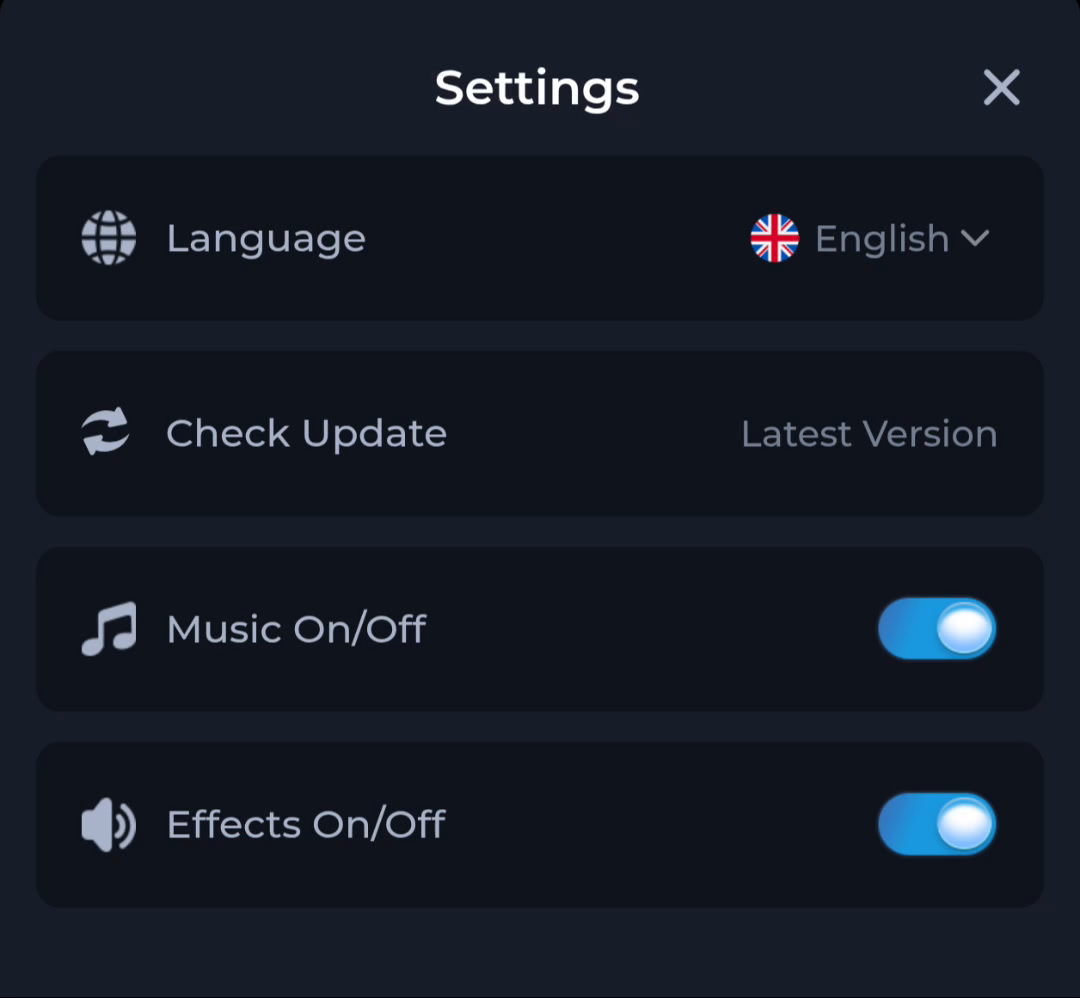
The Settings screen places Check Update beside separate language and audio controls. Use the update entry for its specific purpose rather than treating every nearby label as release information.
Match help to the task
The account menu and Customer Center provide different routes for preferences, records and assistance. A help-category answer explains a topic, while an account-specific issue needs the relevant service context. Read the visible wording on your own screen because layouts can change. This website provides explanations and navigation; it cannot complete an account action or alter a service record.
What a completed answer looks like
The selected setting matches the intended preference and its effect can be observed directly.
If the screen still does not answer the question, keep the exact wording and use the matching in-app help context.
Choose another specific COME guide